


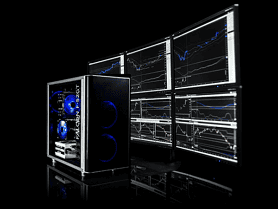
A scalper drops $4,000 on a flagship GPU and sees zero improvement in execution speed. A swing trader buys a 16-core processor for nightly scans that complete in three seconds either way. A prop firm running light MT4 instances configures a workstation that would comfortably run a Bloomberg Terminal, and pays for capability it will never use.
These are the default outcome, not edge cases, when the question “do you need an expensive trading computer?” gets answered with a budget number rather than workload analysis.
A Measure of Model Fit
The price of a trading computer is not the measure of its fitness. Platform architecture imposes hard ceilings on what hardware can deliver. Trading strategy determines which resources matter and which sit idle. This article maps the intersection of platform and strategy to the hardware that actually serves each combination, and identifies where spending more yields no measurable return.
Many traders who contact Falcon for a consultation have configurations mismatched to their actual workload. The mismatch is not a budget problem. It is an information problem.
The Expensive Trading Computer
The assumption that a higher-priced component universally outperforms a lower-priced one at any task is the most persistent misconception in hardware selection. It is also incorrect in every dimension relevant to trading.
CPU: More Cores Can Mean Worse Performance
Single-threaded trading applications do not benefit from additional cores. They benefit from faster cores. A processor with 20 cores at 5.0 GHz base and 5.5 GHz turbo will outperform a 26-core processor at 3.5 GHz base on every single-threaded trading platform. The higher-core-count CPU is more expensive. It also delivers slower per-interaction performance for ThinkOrSwim, TWS, and TradeStation.
CPU manufacturers segment their product lines by core count at each price tier. The most expensive consumer processors maximize core count, not per-core clock speed. For trading workloads, the relationship between price and performance inverts beyond a threshold: spending more buys cores that trading platforms cannot use, at the expense of clock speed they would benefit from.
GPU: Gaming Does Not Map to Trading
The $1,500+ flagship GPU is engineered for 3D rasterization at high frame rates. Trading platforms render 2D charts and display text. The price-to-performance curve for trading is flat above approximately $150—a workstation-grade card at that price point drives four to six monitors and accelerates CUDA-dependent platforms identically to a card costing five times as much.
Our position on workstation versus gaming GPUs is unambiguous: workstation GPUs provide superior value for trading through appropriate display engineering, enterprise driver stability, and sustained operation certification. Gaming GPUs optimize for workloads that trading does not generate.
RAM: Capacity Past Your Working Set Does Nothing
Adding RAM beyond the point where your active workload fits provides zero performance benefit. A trader whose active platform data set fits within 18 GB does not gain speed from 64 GB. The modules operate at the same speed. The unused capacity sits idle. The highest-priced RAM kits add overclocking headroom and RGB lighting, neither of which benefits trading platform stability.
Storage: Interface Speed Saturation
NVMe PCIe 4.0 at 7,000 MB/s sequential read exceeds any trading platform’s throughput requirements. Spending more for PCIe 5.0 drives at 10,000 MB/s or enterprise-class Optane storage provides no measurable improvement in platform load times or chart cache retrieval. The premium beyond a quality PCIe 4.0 drive with adequate endurance is capital with no return.
[See our recommended storage specifications →](/ssd-trading-computer/)
The common thread: the most expensive configuration is engineered for workloads that trading does not generate. Matching component specifications to platform architecture and strategy produces a machine that costs less and performs better in the metrics that matter.
Where Traders Over-Invest
The Unused GPU
The most common over-investment in trading hardware is the graphics card. Gaming benchmarks dominate consumer perception of computer performance, and traders frequently apply gaming GPU logic to trading workloads. The result: a $1,500+ GPU running chart rendering that a workstation card handles identically.
NinjaTrader, MetaTrader 4/5, and TWS show no measurable performance difference between a flagship gaming GPU and integrated graphics for chart rendering. These platforms are CPU-driven for display output.
ThinkOrSwim and TradeStation do benefit from GPU acceleration, but the benefit plateaus at workstation-grade hardware. A workstation card provides full CUDA acceleration for TOS and covers both TOS and TradeStation.
The Idle CPU
A 24-thread processor running a single-threaded platform operates at approximately 5% utilization during market hours. ThinkOrSwim and TWS execute primarily on one main thread. TradeStation spawns multiple 32-bit processes, but each is single-thread bound. None distribute workload across 12+ cores in a way that improves per-interaction latency.
A high-clock-speed processor represents the appropriate ceiling for even the most demanding single-threaded platforms. Beyond this, additional cores provide no benefit for platforms that cannot address them.
Perputually Empty RAM
Sixteen gigabytes runs every major trading platform. Thirty-two gigabytes is the professional standard. Higher capacities serve multi-platform traders running TOS alongside NinjaTrader with Market Replay and multiple browser instances.
The expenditure curve for RAM is linear—each additional module costs the same as the last—but the utility curve is not. A trader using 18 GB of active capacity gains nothing from higher capacity. The unused memory does not accelerate the active workload.
Platform-Dictated Diminishing Returns
Every trading platform has a hardware ceiling beyond which additional investment produces no measurable improvement. Understanding these ceilings prevents spending that cannot manifest as performance.
ThinkOrSwim Ceilings

CPU: Clock speed above a moderate turbo threshold provides marginal gains. Core count beyond 6 does not improve TOS performance.
GPU: CUDA acceleration saturates at workstation-grade hardware.
RAM: 32 GB handles all TOS configurations. Higher capacity only necessary when running TOS alongside other platforms.
Storage: NVMe PCIe 4.0 with adequate endurance. Beyond a quality drive, load times improve by imperceptible margins.
NinjaTrader Ceilings

CPU: Multi-thread aware, but 8 cores saturates the platform’s parallelism.
GPU: No measurable GPU utilization. Any card supporting monitor count suffices.
RAM: 32 GB for standard trading. Higher capacity for extensive Market Replay databases.
Storage: Write endurance is the binding constraint. Enterprise-rated NVMe covers all scenarios.
MT4/5 Ceilings

CPU: Dual-core handles manual trading. Quad-core covers heavy EA loads. Beyond six cores, utilization drops to zero.
GPU: None. An entry-level card drives four monitors identically to a flagship in MT4/5.
RAM: 8 GB handles manual trading. 16 GB covers 20+ EAs.
Storage: SATA SSD suffices. NVMe provides no measurable benefit.
TradeStation Ceilings

CPU: Clock speed dominates. Core count beyond 8 shows diminishing returns, though Options Analysis benefits from multi-core.
GPU: Moderate benefit for options and Greeks. A mid-range card is the ceiling.
RAM: 32 GB is the practical maximum.
TradingView Ceilings

CPU: Scales with tab count. Reasonable core count handles 15+ tabs. Beyond this, browser overhead becomes the bottleneck.
GPU: Light acceleration for drawing tools. An entry-level discrete card covers complex chart workloads.
RAM: Each tab consumes 200-500 MB. Adequate RAM handles 10-15 tabs comfortably. The ceiling is browser memory management, not available RAM.
Strategy-Dictated Hardware Requirements
Platform architecture determines usage ceilings. Trading strategy affects to what extent resources are used.
Scalping/Intra-Day
Latency is the binding constraint. Each millisecond of platform delay compounds across dozens to hundreds of daily trades.
|
Component |
Priority |
Principle |
|---|---|---|
|
CPU |
Clock speed > core count |
A moderate-core high-clock processor outperforms high-core lower-clock processor |
|
RAM |
Responsiveness |
Adequate capacity minimum to avoid page file reliance |
|
Storage |
Speed |
NVMe mandatory for chart cache loading |
|
GPU |
Platform-dependent |
ToS benefits from CUDA; NT does not |
[See scalping-optimized CPU recommendations →](/best-cpu-trading-computer/)
Falcon models: The F-37GT matches standard scalping/day trading configurations. The F-52GT or F-1 BLUE ICE serves multi-platform and zero-compromise setups.
Position Trading
Latency tolerance is higher. Sub-second platform responsiveness is a convenience rather than a requirement.
|
Component |
Priority |
Principle |
|---|---|---|
|
CPU |
Balanced |
Clock speed matters for scans, but timing pressure is lower |
|
RAM |
Capacity |
Sufficient capacity for multi-day chart data |
|
Storage |
Capacity |
Multi-timeframe data sets can occupy space |
|
GPU |
Real-estate |
Multiple timeframes/charts per symbol fills out screen space |
Falcon models: The P-32 exceeds long term, swing and position trading requirements. Step up to an F-37GT if running multiple platforms or plenty of indicators/strategies.
Algorithmic Trading
EA and bot operators face different constrants: sustained 24/7 operation and deterministic execution timing.
|
Component |
Priority |
Principle |
|---|---|---|
|
CPU |
Multi-core preferred |
Reasonable core count and moderate clock speed |
|
RAM |
Generous |
Higher baseline for market data, order state, logging |
|
Storage |
Endurance |
High-endurance for continuous logs and decision tree variable caching |
|
GPU |
Potential Compute |
Platform dependent compute (mostly CPU-bound) |
Falcon models: The F-52GT serves automated trading configurations. The F-52GT Preferred is the pre-built, same-day ship option with validated 24/7 operation.
Multi-Platform/Asset
Traders running two or more platforms while monitoring multiple asset classes face compounding resource demands.
|
Component |
Priority |
Principle |
|---|---|---|
|
CPU |
Cores + Speed |
Higher count for multi-process, without bottlenecking independent platforms |
|
RAM |
Capacity |
Each platform/process consumes additional memory and often stores redundant datasets |
|
Storage |
Capacity |
Duplicate datasets are often stored in storage caches. |
|
GPU |
Platform-dependent |
If a platform benefits from CUDA/GPU-Compute, match the lowest common denominator. |
Falcon Models: The F-1 Blue Ice provides a plethora of capacity and bandwidth, paired with custom loop cooling, ensuring maximum performance with virtually no throttling under the heaviest of complex compute workloads.
F-1 BLUE ICE
Suitable for: Traders demanding absolute performance, custom liquid cooling, premium build
The F-1 BLUE ICE combines an Intel Core Ultra 9 processor with a custom liquid cooling loop—1,000 L/hr D5 pump, copper and nickel surfaces—eliminating thermal throttling entirely. This configuration extracts maximum sustained clock speed from the processor, delivering the highest single-thread performance available in any Falcon workstation.

The Cost of Over-Investment
Spending beyond your platform’s ceiling carries three concrete costs:
Capital Misallocation. The $1,500+ difference between an appropriate configuration (or even single component) and an over-specified configuration represents capital that could fund education, data subscriptions, or margin.
Depreciation Without Utility. Hardware depreciates from the moment of purchase. Components that never contribute to your trading workload still lose value on the same schedule as components that work every session.
Inefficient Tooling. A platform that benefits from more cores will suffer when handed faster clock timings, while a platform efficiently running one core will suffocate when handed additional cores it cannot use.
When Expensive Hardware Is Justified
There are workloads where maximum-cost hardware configurations deliver measurable returns:
Multi-platform power users. Running TOS, NinjaTrader, and TradingView simultaneously across six monitors with tick-level data on each creates a workload that justifies high-clock CPUs, ample RAM, and a workstation GPU.
See our multi-platform configurations →
Institutional/prop firm requirements. Compliance-mandated component traceability, dual-NIC configurations, ECC memory, and RAID storage all add cost. These are requirements of the operating environment—not optional upgrades.
Longevity as a cost strategy. Falcon’s decade-class warranty model is built on the premise that higher-quality components amortize their cost over a longer service life. Our 60% annual repeat customer rate substantiates this approach: traders who understand the total cost of ownership return to Falcon when they need a second workstation because they know the first one delivered. A premium workstation that performs reliably for eight years is less expensive than two entry-level workstations that fail at year four. The distinguishing factor is component quality, not headline specifications.
Every Falcon system is built in Laramie, Wyoming, with component traceability from source to shipment. Our 20-year service history and 5-year warranty—versus the industry-standard 1-year—reflect engineering confidence, not marketing ambition.
[Explore our decade-class configurations →](/trading-computers/)
FAQ
Is a $4,000 trading computer better than a $2,000 trading computer?
Not inherently. The $4,000 configuration is better only if your platform and strategy can utilize the additional hardware. A $2,000 machine correctly matched to your workload will outperform a misconfigured $4,000 machine in the metrics that matter—platform responsiveness, reliability during market hours, and appropriate thermal performance.
Do I need a separate graphics card for day trading?
Only if you use ThinkOrSwim or TradeStation. NinjaTrader, MT4/5, TWS, and TradingView (with basic chart loads) operate without measurable GPU benefit. For platforms that do benefit, a workstation-grade card at modest pricing provides full acceleration.
How much should I spend on a trading computer for NinjaTrader?
A NinjaTrader-optimized configuration starts at approximately $1,500 for Market Replay capability and scales to $2,500 for multi-platform use. The CPU and NVMe storage are the binding constraints—GPU spending above monitor drive requirements provides no return.
What is the most common hardware mistake traders make?
Over-investing in the GPU based on gaming experience. Trading platforms are not games. The GPU’s role in trading is display output and, for specific platforms, CUDA compute—both of which saturate at workstation-grade hardware.
When does it make sense to buy the most expensive configuration?
When you run multiple GPU-utilizing platforms simultaneously, when your trading operation has institutional compliance requirements, or when you intend to operate the same workstation for eight-plus years and amortize the cost through longevity. In each case, the additional investment maps to a measurable requirement.
Is a CPU with more cores always faster for trading?
No. For single-threaded platforms like ThinkOrSwim, TWS, and TradeStation, a higher-clock lower-core processor will outperform a higher-core lower-clock processor. Higher core counts often correlate with lower per-core clock speeds. More cores only helps when your platform is genuinely multi-threaded and your workload distributes across them.
Is a more expensive GPU always better for trading?
No. A workstation GPU drives four to six monitors and accelerates CUDA-dependent platforms identically to a flagship card costing substantially more.
Will more RAM make my trading platform faster?
Only if you are currently running out of memory. If your active workload fits within available capacity, adding more does not accelerate anything. RAM upgrades improve performance only at the point where the platform begins paging to disk.
Configure Your Trading Computer
Configure Your Strategy-Aligned Workstation
Explore Falcon Preferred Professional Configurations
Learn About Our 5-Year Warranty
Or call our specialists: 1-800-557-7142 — U.S. Based Lifetime Support —
