Most people evaluate a local AI machine the way they evaluate a laptop: check the price, check a couple of specs that sound familiar, done. Local AI does not work like that. The numbers on the spec sheet, AI memory, parameters, tokens per second, describe a different thing than they sound like they describe, and getting them wrong means buying a machine that cannot do the one job you bought it for.
This guide explains what each of those terms actually measures, in plain language, before you spend money on any of it.
What "AI memory" actually means
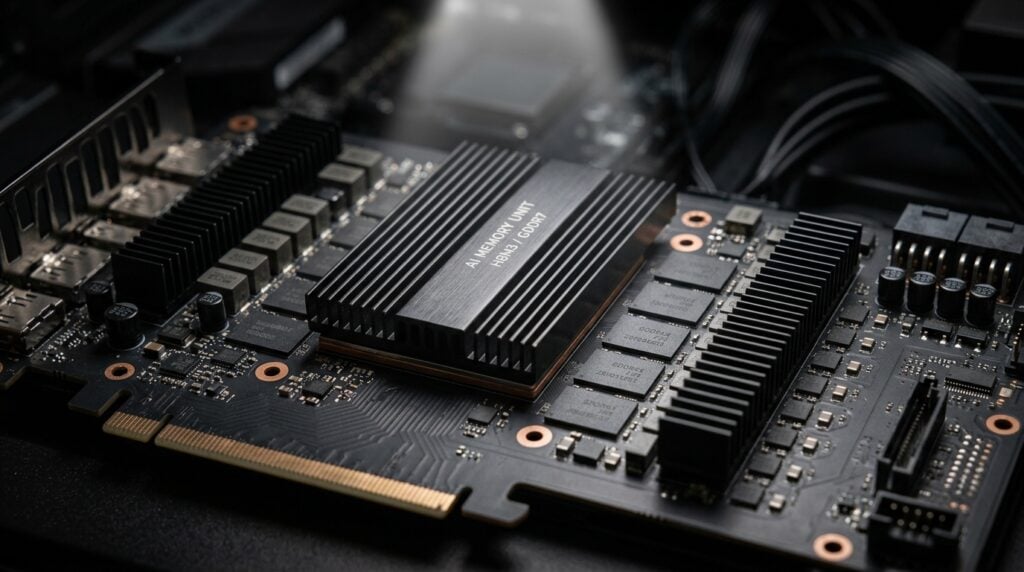
AI memory is not the same thing as your computer’s regular system memory, and treating the two as interchangeable is the most common mistake buyers make. AI memory is dedicated capacity, on a graphics card or a unified-memory chip, set aside to hold a model’s weights while it runs. A model that needs 20GB to load will not run on a machine with 16GB of AI memory, no matter how much ordinary system RAM sits alongside it.
This number is the ceiling on everything else. It determines the largest model your machine can hold, and model size is what determines how capable that model actually is. An underpowered machine does not run a large model slowly. It fails to load it at all.
What "parameters" measure
A model’s parameter count, expressed in billions (“14B,” “32B,” “120B-class”), is the closest thing local AI has to a single headline spec. Parameters are the internal values a model adjusts during training. Roughly speaking, more parameters mean more of the world encoded into the model: better reasoning, steadier performance on multi-step problems, and a longer memory for what has already been said in a conversation.
The trade is direct. Larger models need more AI memory to hold and more compute to run, which is why parameter count and AI memory scale together on every real product line.
|
Parameter class |
What it is good for |
Where it falls short |
|---|---|---|
|
8B to 14B |
Fast, fluent everyday use: summarizing, explaining, reviewing shorter documents |
Occasionally shallow on hard, multi-step problems |
|
14B to 32B |
Writing usable code, reasoning through a full document, holding its footing on longer material |
Slower than smaller models, needs meaningfully more AI memory |
|
120B-class |
Full transcripts, dense filings, questions with several dependent steps |
Needs the most AI memory by a wide margin; not every machine is built to hold it |
Two models with the same parameter count are not always equal. Architecture matters too: a “sparse” or mixture-of-experts model can activate only a fraction of its total parameters for any given answer, which is part of why some 120B-class models run faster than their raw parameter count would suggest.
What speed actually tracks
Speed in local AI is usually measured in tokens per second, roughly one token per few characters of output. It is not a measure of how smart the model is. It is a measure of how quickly the hardware can move that model’s weights in and out of memory while it generates each token.
Three things set that number: how fast the AI memory itself is (its bandwidth, not just its size), how the model has been compressed for that memory (quantization), and whether the model is dense or sparse. A machine with generous AI memory but slow memory bandwidth can still feel sluggish. AI memory capacity and AI memory speed are two different specs worth asking about separately, not one number doing double duty.
In practice, speed only becomes the constraint once a model already fits comfortably. Buy for capability first, using the parameter class you actually need, and speed follows from matching that model to hardware built to run it.
Is local AI actually free?
No, and treating it as free is how people end up disappointed. Local AI has no subscription, which is genuinely different from a $20-to-$200-a-month cloud AI seat that renews forever. But the machine itself is a real, one-time cost, and electricity to run it is an ongoing one, smaller than a subscription but not zero.
The honest comparison is total cost over time, not the sticker price on day one. A cloud subscription at $200 a month comes to $2,400 a year, every year. A machine you own is paid once. Where the two land relative to each other depends on how long you keep the machine and how much you would otherwise have spent on cloud access in that same stretch of time, which is worth working out with real numbers, not with hardware.
Is it actually private?
This is the specific claim that matters, and it deserves a specific answer instead of a marketing one. Running a model locally means your files, your prompts, and the model’s answers exist only on the machine in front of you. There is no server transaction to log, no vendor holding a conversation history, and nothing to hand over in response to a subpoena, because nothing was ever uploaded anywhere in the first place.
That is not the same as invulnerable. A machine you own is still a machine you have to keep patched, and malware on your own PC remains a real risk that no architecture eliminates by itself. What changes is the number of parties who could ever be in a position to expose your data: zero, instead of a vendor, the vendor’s own vendors, and whoever eventually holds a court order.
Which class of machine you actually need
Most traders land in the 14B-to-32B range: capable enough to write usable strategy code and reason through a full account statement, without needing the largest AI memory a system can carry. Reviewing a trade journal or explaining a chart comfortably runs on less. Full transcripts, dense filings, and multi-step research belong to the 120B-class tier, a meaningfully larger machine by design, not just a faster version of the same one.
FAQ
Is more AI memory always better?
Only up to the size of the model you actually intend to run. Extra AI memory beyond that lets you load a larger model later or keep more than one model resident at once, but it does nothing for a model that already fits.
Does a bigger parameter count always mean a smarter model?
Usually, but not strictly. Architecture matters: a well-built sparse model can outreason a larger dense model on some tasks while using less active compute per answer. Parameter count is the best single predictor available, not the only variable.
Why does the same parameter count run faster on some machines than others?
Memory bandwidth and quantization. Two machines with identical AI memory capacity can move data at meaningfully different speeds, and how a model has been compressed to fit that memory affects both speed and, at extreme compression, answer quality.
Is local AI actually cheaper than a cloud subscription?
It depends on how long you keep the machine and how much cloud access you would otherwise pay for. There is no subscription either way with a local machine, only the one-time hardware cost and ordinary electricity, a different shape of expense than a recurring seat fee, not automatically a smaller one in every case.
Can a local machine still be compromised?
Yes. Owning the hardware removes vendor-side risk (breaches, subpoenas, retention policies, exposure through a vendor’s own vendor), not the ordinary responsibility of keeping a machine you own patched and secured. —
Configure the Right Machine
Or call our specialists: 1-800-557-7142 (lifetime support, no menus).